Data Delivery & Destinations
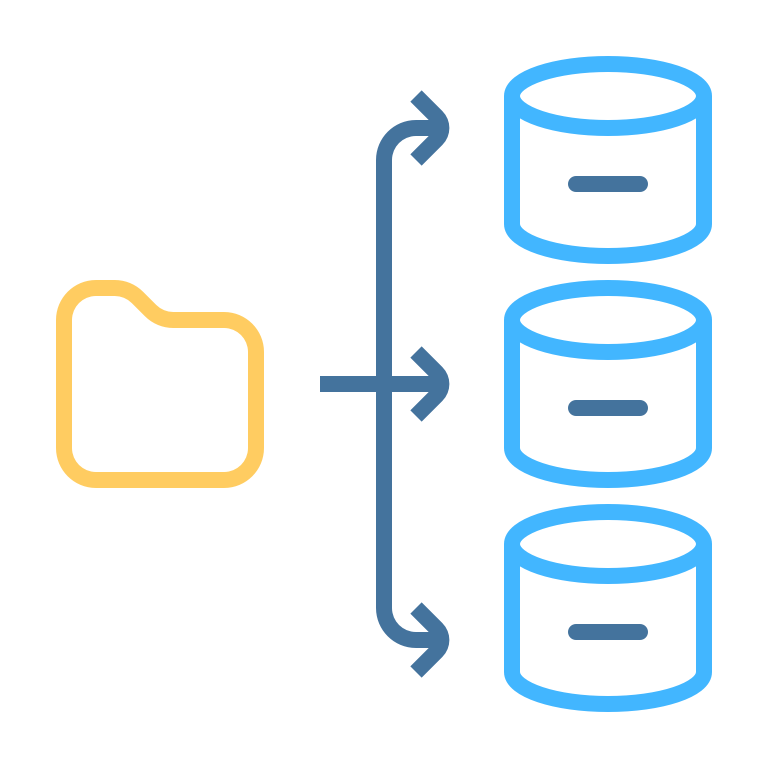
Deliver Events to Your Warehouse
After collecting, validating and transforming your events, DataBridge delivers them to your data warehouse or any HTTP endpoint. Configure pipelines with batch sizes, attach transformation functions and route to multiple destinations.
Supported Destinations
DataBridge provides native connectors with automatic table creation, type mapping and batch delivery:
PostgreSQL
Direct PostgreSQL support for both cloud-hosted and on-premise instances:
Features:
- Auto Table Creation: Tables created automatically from your schemas
- Batch Delivery: Configurable batch sizes for write efficiency
- Type Mapping: JSON Schema types mapped to PostgreSQL types
- Automatic Retries: Failed deliveries retried with backoff
ClickHouse
High-performance analytical database support:
Features:
- Optimized Inserts: Batched writes for ClickHouse's columnar storage
- Auto Table Creation: Schema-driven table management
- Type Mapping: JSON Schema types mapped to ClickHouse types
MySQL
MySQL support for both cloud-hosted and on-premise instances:
Features:
- Auto Table Creation: Tables created from your event schemas
- Batch Delivery: Configurable batch sizes
- Type Mapping: JSON Schema types mapped to MySQL types
Webhooks
Send events to any HTTP endpoint:
Features:
- Any Endpoint: Deliver events to any HTTP URL
- Custom Headers: Configure authentication and content-type headers
- Batch Delivery: Events batched for efficient delivery
- Flexible Integration: Connect to any downstream system that accepts HTTP
Blackhole (Testing)
A no-op destination for testing pipelines without writing data anywhere. Useful during development and pipeline debugging.
How Delivery Works
Pipeline-Based Batching
Each pipeline connects a source to a destination. Events are delivered in configurable batches:
- Events ingested into the buffer via the Gateway
- Pipeline picks up pending events for its source
- Transformations applied (if functions are configured on the pipeline)
- Events grouped by schema (namespace/name/version)
- Destination tables created automatically if they don't exist
- Batch written to the destination
- Delivery tracked per-destination - events marked as fully delivered once all destinations receive them
Key details:
- Default batch size is 256 events (configurable per pipeline)
- Pipelines run independently and continuously
- Failed deliveries are retried automatically
- Events sent to multiple destinations still count as one delivered event for billing
Multiple Destinations
Route to Different Systems
Create multiple pipelines from the same source to deliver events to different destinations:
- Analytics warehouse: PostgreSQL or ClickHouse for BI and reporting
- Operational database: MySQL for real-time operations
- External systems: Webhooks for integrating with any HTTP endpoint
Each pipeline runs independently - if one destination is slow or down, the others are not affected. Events are tracked per-destination and marked as fully delivered once all destinations receive them.
Automatic Table Management
DataBridge automatically manages destination tables based on your schemas:
Table Naming Convention:
Tables are created using the pattern dbridge_{namespace}_{event_name}_{version}. For example, a schema with namespace payment, name transaction, version 1-0-0 creates table dbridge_payment_transaction_1_0_0.
Schema-Driven DDL:
Column types are derived from your JSON Schema definitions and mapped to the appropriate database types for each destination (e.g., string becomes TEXT in PostgreSQL, String in ClickHouse).
Error Handling:
- Failed deliveries are retried automatically with backoff
- Delivery state is tracked per-destination for each event
- Rejected events are logged with error details for debugging
Monitoring
The DataBridge dashboard shows delivery metrics per destination:
- Events sent and failed counts
- Pipeline status (active/paused)
- Delivery charts over time
Connection Modes
Cloud Mode: DataBridge connects directly to your database. Credentials are stored encrypted in the DataBridge cloud.
Agent Mode (Data Monitoring at Rest only): Run the DataBridge Agent on your own infrastructure. Database credentials stay on your network - only profiling and check results are sent to the cloud.
Ready to Get Started?
Start with our free tier (100K events/month) or explore paid plans starting at $79/month.